AE Sessions
AE Sessions
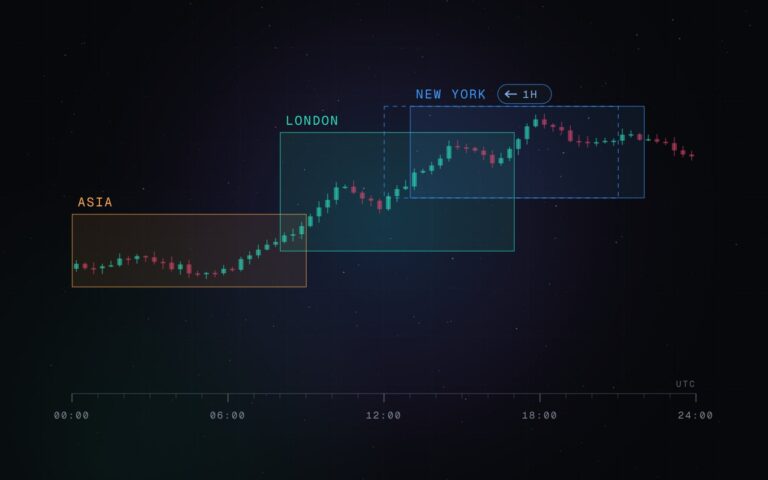
Asia, London and New York sessions as boxes with their highs and lows, in exchange time – plus statistics from your own chart.

AE Sessions draws the Asia, London and New York trading sessions as boxes, marks their highs and lows as levels and shows how each session has behaved on the chart you are looking at. It is free and open source on TradingView.
Session times that stay right all year
Each session is defined in the time zone of its exchange: Asia/Tokyo, Europe/London and America/New_York. TradingView applies the daylight saving rules of these zones itself, so the boxes sit in the right place in every country and every season – including the weeks in which Europe and the US change their clocks on different dates. There is nothing to adjust.
- Asia: 09:00–15:00 Tokyo time
- London: 08:00 London time until 08:00 New York time, so the London box is complete before New York starts
- New York: 08:00–17:00 New York time, or the US cash session 09:30–16:00
- Custom: an optional own session in any time zone, also across midnight
Levels, sweeps and breaks
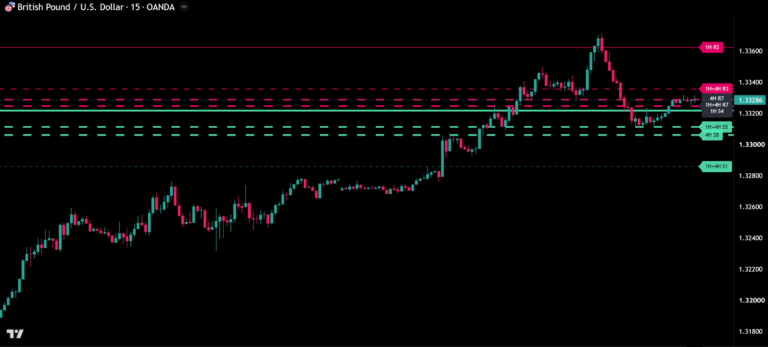
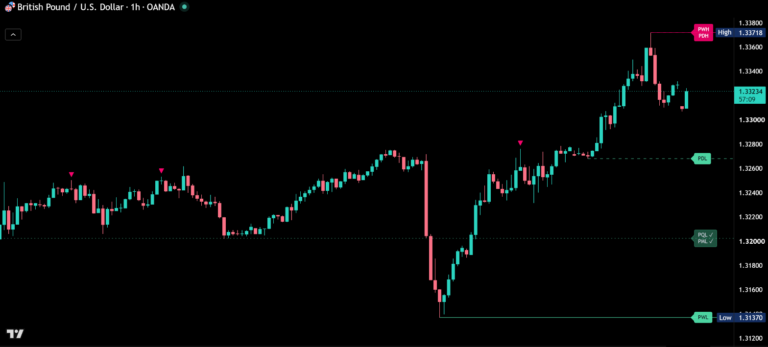
The highs and lows of the most recent sessions and the previous day high (green) and low (red) are drawn as levels and extended until price trades beyond them. Untaken levels carry their name at the right edge of the chart.
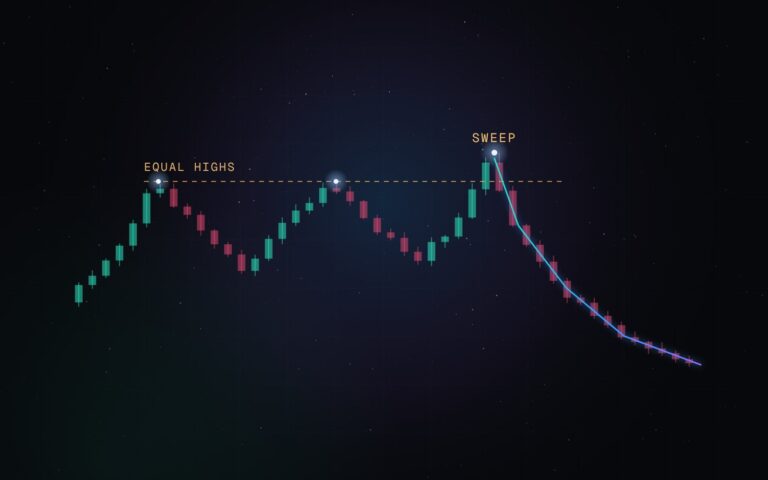
When a level is taken, its line runs into its name and continues dashed to the bar that took it: Sweep if that bar closed back inside, Break if it closed beyond. Both are fixed once the bar has closed.

Statistics from your own chart
Every number is measured on the history of the chart you are looking at – no fixed values taken from somewhere else.
- Size: a session’s range divided by the daily ATR(14) of the last finished day, so days with different volatility can be compared. Shown in pips or points, as a percentage of the average session or of the daily ATR.
- Average: the median of past sessions of the same kind, so single news days do not distort it.
- Unusual sessions: the biggest 10% get a thick frame, the quietest 10% a dotted one.
- Live statistics (Asia and New York): how often the high or low reached so far was still the high or low at the session end.
- Base: every statistic is compared with windows of the same length at the other hours of the day. That shows whether a session really behaves differently from the rest of the day on this market.
- Noise check: if the difference to the base is within two standard errors, or fewer than 30 sessions are available, the value is shown in grey with ≈ – it cannot be told apart from chance.

Dashboard
The dashboard shows the running session with its progress or a countdown to the next one, the session sizes compared with the rest of the day, and how often New York takes the Asia high or low. Choose the Full or the Compact layout – the compact one is made for phones.
Repainting
Boxes, levels and Sweep / Break marks of finished sessions are built from closed bars and do not change afterwards – checked in Bar Replay. The daily ATR comes from the last finished day. Only what is still running updates live: the current session, its live statistics, the dashboard and the level names at the right edge.
Alerts
Two events, both off by default: session start and level taken (with Sweep or Break, after the bar has closed). Switch them on in the settings and create one alert with the condition “Any alert() function call”.
Main settings
| Setting | Default | What it does |
|---|---|---|
| Asia / London / New York | on | Switch sessions on or off, one colour each |
| New York window | 08:00–17:00 | Or the cash session 09:30–16:00 |
| Custom | off | Own session in a time zone of your choice |
| Weekend sessions | off | Count Saturday and Sunday (for crypto) |
| History (days) | 10 | Days with boxes and levels on the chart (up to 30); statistics always use the full history |
| Session highs / lows | on, 1 | How many sessions of each kind keep their levels (1–3) |
| Previous day high / low | on | Previous day levels |
| Mark taken levels | on | Sweep / Break at taken levels |
| Live statistics | on | Live statistics for Asia and New York |
| Dashboard | on, Full | Position, text size, Full or Compact |
| Session size | Pips / points | Or % of the average, or % of the daily ATR |
| Highlight unusual sessions | on | Thick or dotted frame for the biggest or quietest 10% |
| Candle colors | off | Candles by how much of the session range is used |
Markets and timeframes
Made for charts from 1 minute to 1 hour. Tested on historical data on GBPUSD, USDJPY, XAUUSD, NAS100, DE30, BTCUSD and AAPL from 1 minute to 1 hour, in Bar Replay, with the light chart theme and at phone width.
Tips for the best results
- Made for charts from 1 minute to 1 hour – the timeframes where sessions and their levels matter most.
- The more history your chart loads, the richer the statistics: averages appear from 5 sessions, frames and live statistics from 20, the noise check from 30. A higher timeframe loads more days.
- On stocks and index CFDs, every session is measured over the hours the market actually traded.
- Live statistics run for Asia and New York; the custom session shows its size, so you can track any window you like.
- Using the candle colours? Switch off other indicators that colour candles, so the colours stay clear.
Every statistic comes from the history of your own chart – so you see how this market really behaves, session by session.
Real reviews
What traders say about AE Sessions
No reviews yet. Are you using AE Sessions? Be the first to share your experience.
Write a review
Only real people: every review is confirmed by email and checked by hand before it appears.
Changelog
What changed in each version.
v1.0
First release: Asia, London and New York sessions (plus a custom session), session and previous-day levels with Sweep / Break, live statistics for Asia and New York, dashboard (Full and Compact), alerts for session start and taken levels.
Updates
Get notified about updates
One email when AE Sessions gets a new version – what changed and how to get it. Nothing else.