PremiumInvite-only
AE Converge
Triangles and wedges from confirmed swings – live boundaries before the breakout, measured move and failed breakouts after it.
- 30 days free
- No payment details
- Nothing to cancel
Tested
Tested on 30 market and timeframe combinations
EURUSD, GBPUSD, USDJPY, gold, Bitcoin, Ether, Solana, the S&P 500, E-mini S&P futures and Apple on 15 minutes, 1 hour and 4 hours, all with default settings – 5,320 formations and 4,928 confirmed breakouts.
- of the breakouts that reached the 50% projection went on to the measured move
- ≈68%
- breakouts closed back inside within 5 candles – each one marked as a failed breakout
- ≈4 in 10
- formations per 1,000 candles on every one of the 30 combinations
- 4–13
- combinations with the same default settings
- 30 of 30
Rounded values from the author’s tests on historical data, evaluated on OHLC data of each timeframe. Past results are no guarantee of future results.
Before / after
Same chart. Now with AE Converge.
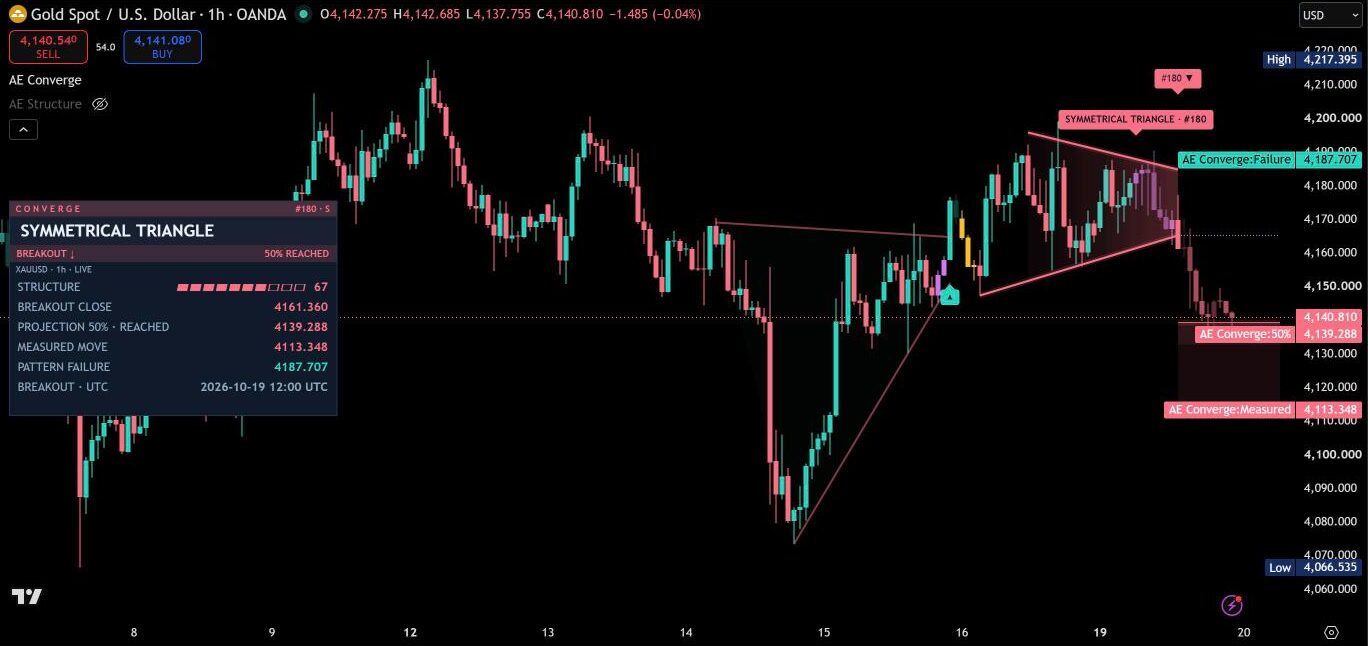
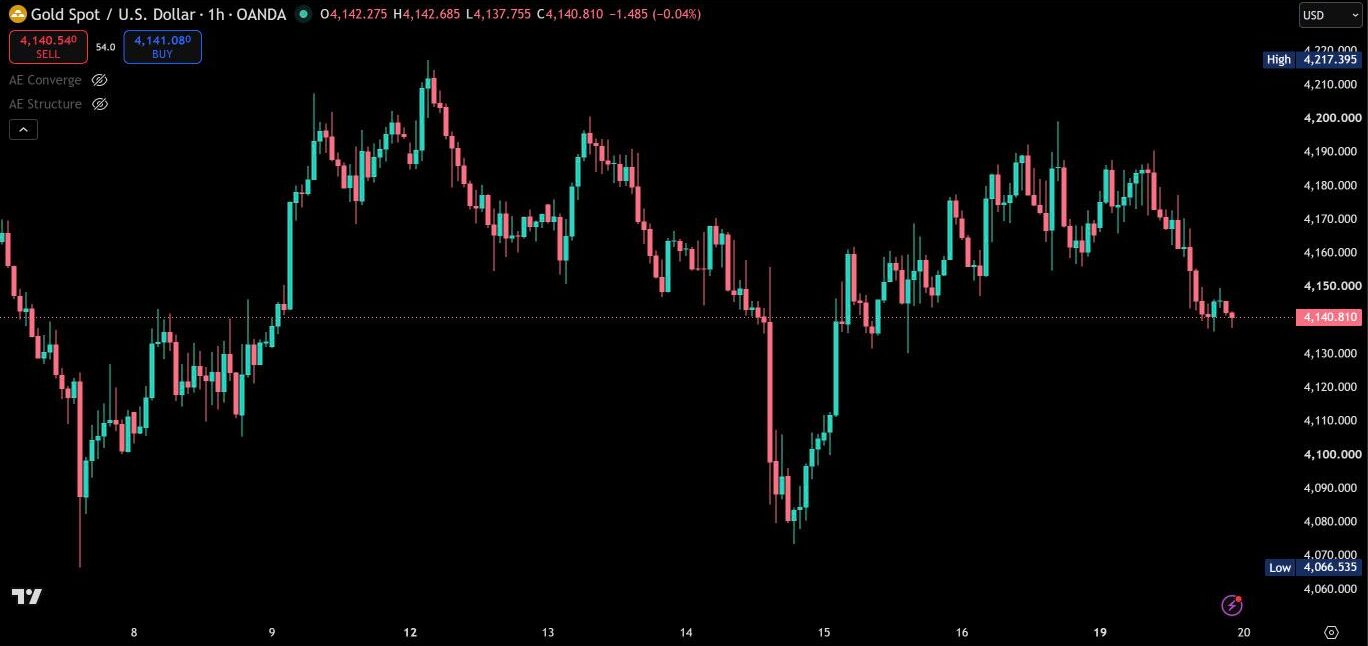
AE Converge finds triangles and wedges from confirmed swing points, follows each formation through its breakout and projects the measured move. Every level is fixed the moment it becomes known – what you see in the history is exactly what the indicator showed in real time.
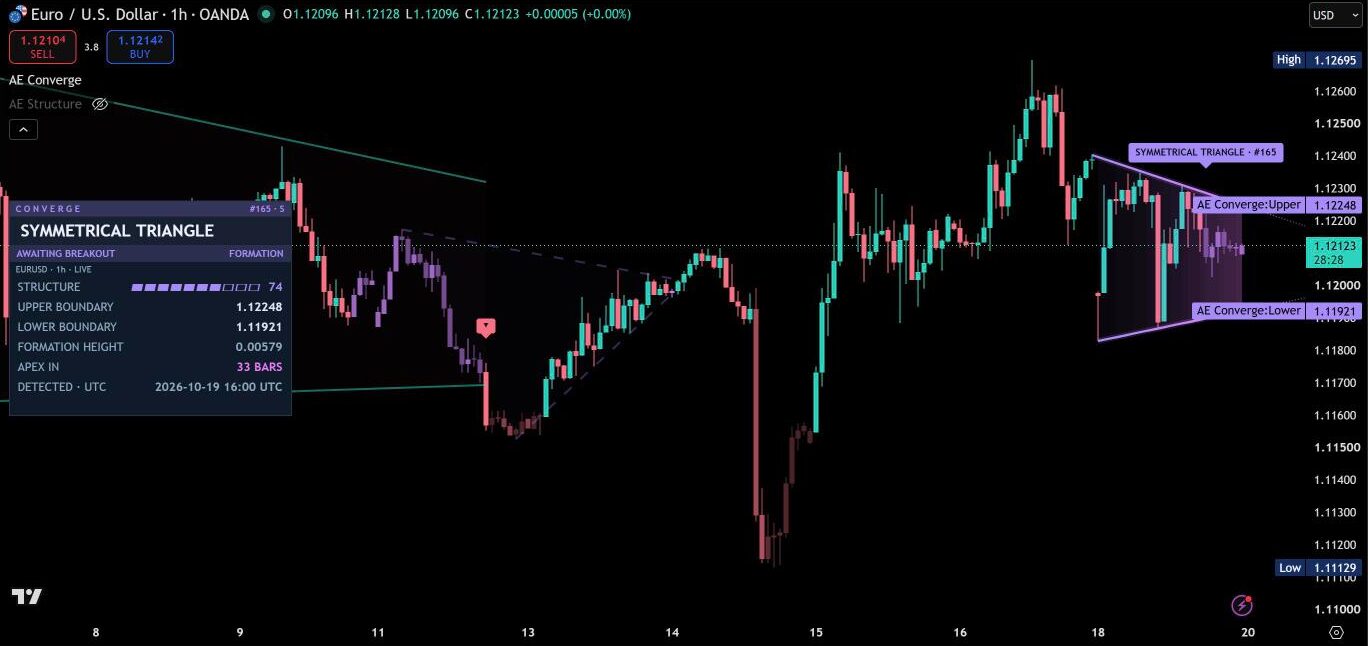
Five formations, three swing scales
Swing highs and lows are confirmed on a short, a medium and a large scale at the same time. On each scale, a least-squares line is fitted through the swing highs and another through the swing lows. Only formations whose closes stay inside both boundaries and whose boundaries clearly converge are drawn.
- Ascending triangle – flat upper boundary, rising lower boundary
- Descending triangle – flat lower boundary, falling upper boundary
- Symmetrical triangle – falling upper boundary, rising lower boundary
- Rising wedge – both boundaries rise, the lower one faster
- Falling wedge – both boundaries fall, the upper one faster
The shape does not decide the direction – a breakout is confirmed by closes only, up or down. Every formation gets a structure score from 0 to 100: boundary fit 45%, number of swings 25%, compression 15% and containment 15%. In the panel it shows as a bar, so a clean formation is visible at a glance.
The live view before the breakout
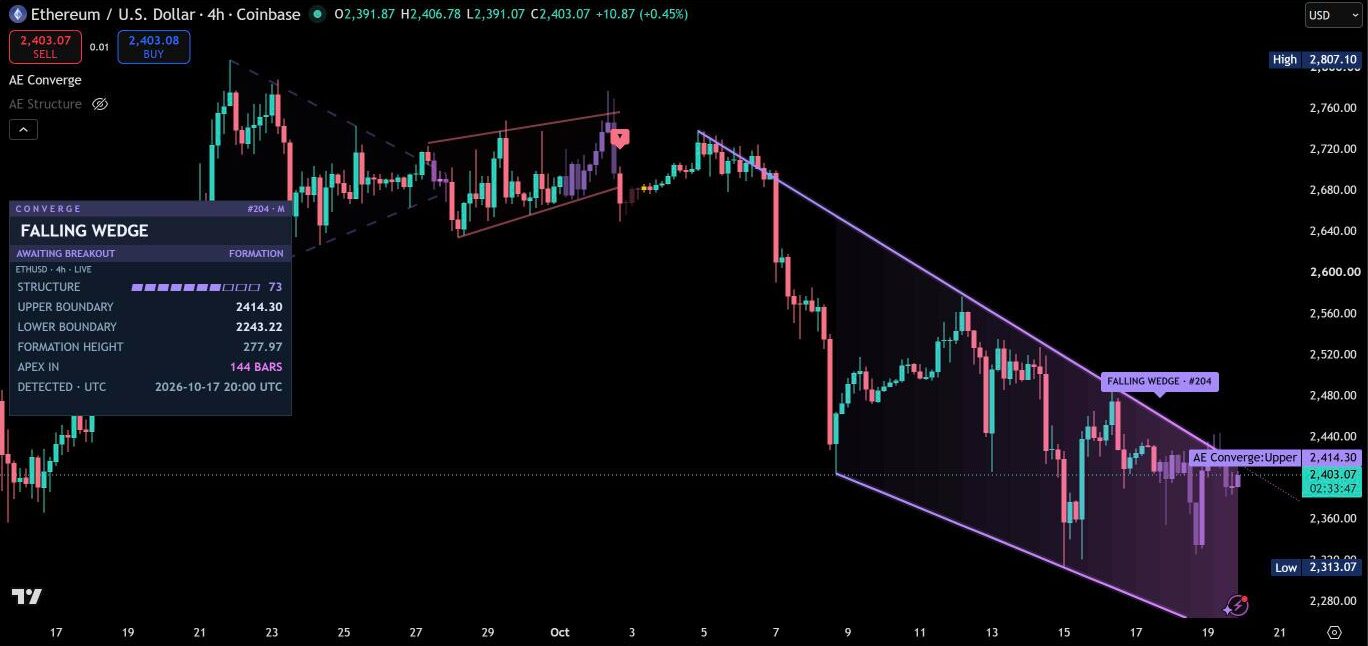
While a formation is still forming, the panel shows the upper and lower boundary at the current candle, the formation height and the number of candles until the apex. Both boundaries also sit on the price scale, so you know exactly where a breakout would start. Boundaries, fill and candles glow in the formation color and shift toward a warm pink as the apex comes closer.

Breakout, projection and pattern failure
A breakout needs a close beyond the boundary plus a buffer and a minimum candle body. At the breakout close, three levels are fixed:
- Projection 50% – half of the measured move
- Measured move – the formation height at its widest point, projected from the breakout level
- Pattern failure – the opposite boundary at the breakout candle, plus a buffer
The projection zone between 50% and the measured move fills in stages as price travels through it, and the panel marks each level as reached the moment it is touched. From the breakout on, the whole formation takes the breakout color – teal upward, rose downward.
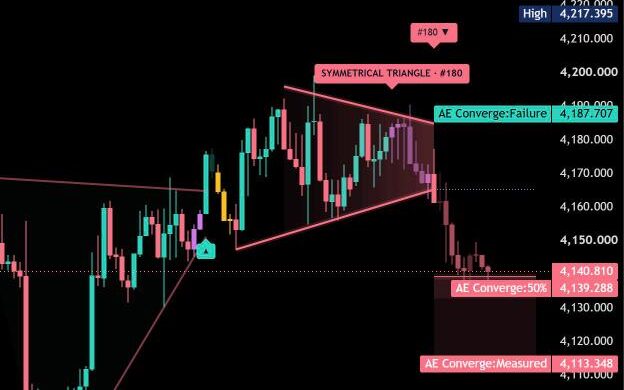
If price closes back across the breakout level within a few candles, the breakout is marked as failed the moment it happens. If the confirmation is not completed within four candles of the first close outside, the formation is marked as unconfirmed, and formations that wait too long or reach their apex expire. If the measured move and the pattern failure level are touched within the same candle, Converge marks the order as unclear instead of guessing.
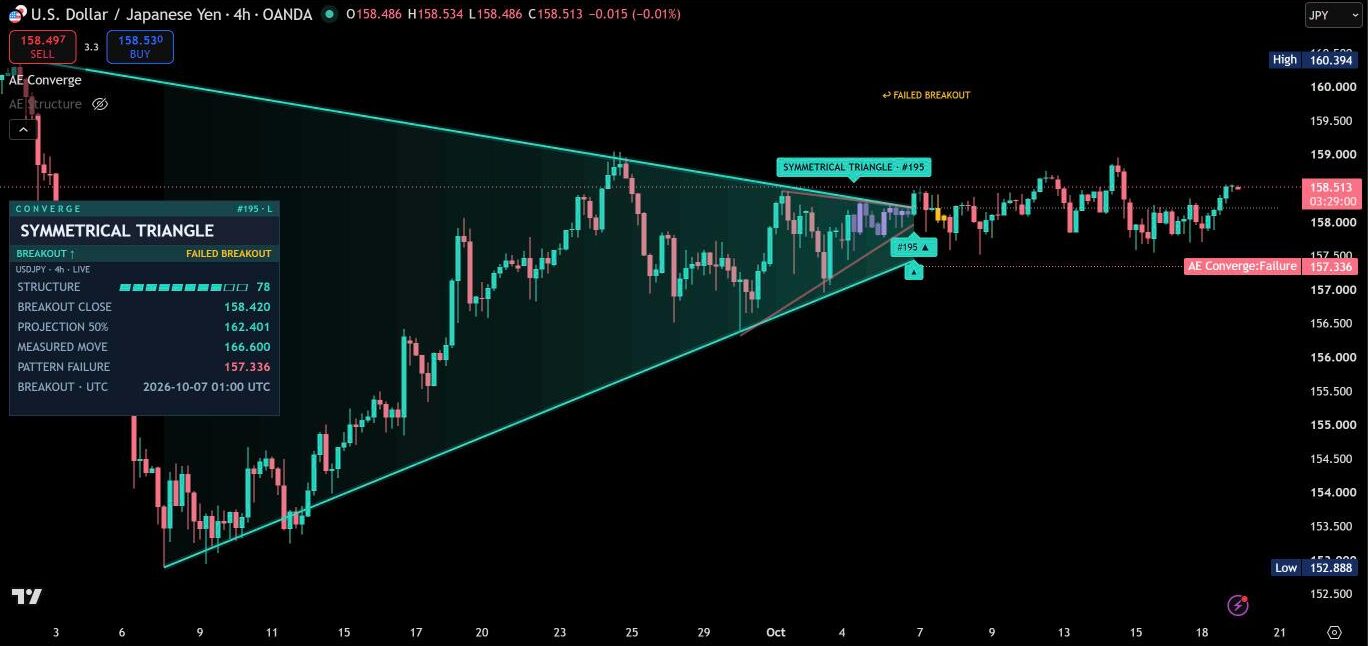
Reading the chart
With the default label style Compact, every formation keeps a short mark on the chart – the full text sits in the tooltip and in the panel. The focus formation shows its marks in full.
| On the chart | Meaning |
|---|---|
| Violet → pink | Live formation before the breakout – the tone gets warmer toward the apex |
| Teal / rose | Formation after an upward / downward breakout |
| #165 · S | Formation number and swing scale (S, M or L) |
| ▲ / ▼ | Confirmed breakout up / down |
| ✓ | Measured move reached |
| ✕ | Pattern failure level reached |
| ↩ | Failed breakout – close back across the breakout level within the window |
| ? | Measured move and pattern failure in the same candle – order unclear |
| ○ | Expired or unconfirmed |
| Dashed boundaries | The formation expired without a breakout |
| Dotted lines to a point | Apex extension – where both boundaries meet |
Results of the author’s tests
Tested with default settings on 30 market and timeframe combinations: EURUSD, GBPUSD, USDJPY, gold, Bitcoin, Ether, Solana, the S&P 500, E-mini S&P futures and Apple, each on 15 minutes, 1 hour and 4 hours – 5,320 formations and 4,928 confirmed breakouts.
- 50% projection as the first checkpoint: about 57% of the confirmed breakouts reached it – between 50% and 66% on every one of the 30 combinations.
- Follow-through: once a breakout had reached the 50% projection, it went on to the measured move in about 68% of cases – between 58% and 81% on every combination.
- Failed breakouts in plain sight: about 4 in 10 breakouts closed back inside within 5 candles – Converge marks every one of them the moment it happens.
- Same settings everywhere: between 4 and 13 formations per 1,000 candles on every one of the 30 combinations, with the same default settings.
Rounded values from historical data, evaluated on OHLC data of each timeframe. Past results are no guarantee of future results.
Candle colors
While a formation is forming, the candles glow in the formation color and shift toward a warm pink as the boundaries converge. The breakout candle takes the full breakout color, the move beyond the breakout level brightens on its way to the measured move, and a close back inside during the failed breakout window turns amber. The candle that completes a formation shows how it ended: the breakout color at the measured move, the opposite color at the pattern failure level and amber when the order was unclear.
With Formations + dim rest, all other candles are muted in their own direction color, so active formations stand out on a busy chart. Candle colors use only what was known on each candle, so they never change after the fact.
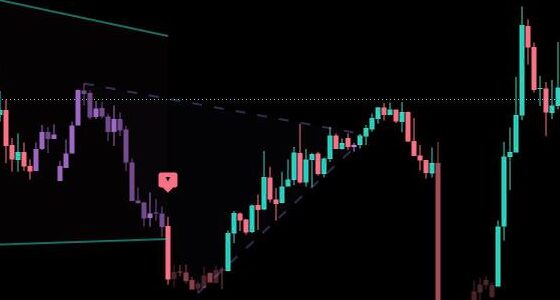
Dashboard
The panel follows the latest live formation automatically, or any retained formation by its number. Before the breakout it shows both boundaries, the formation height and the candles until the apex. After the breakout it switches to the breakout close, the 50% projection, the measured move and the pattern failure level, each marked as reached once price gets there. Header and status rows take the color of the formation – violet before the breakout, teal or rose after it.
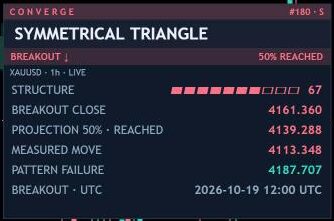
It comes in a desktop layout and a narrow layout for phones, in six positions and three text sizes. The default position, middle left, stays clear of the AE Structure dashboard, and line colors adapt to light and dark chart backgrounds.
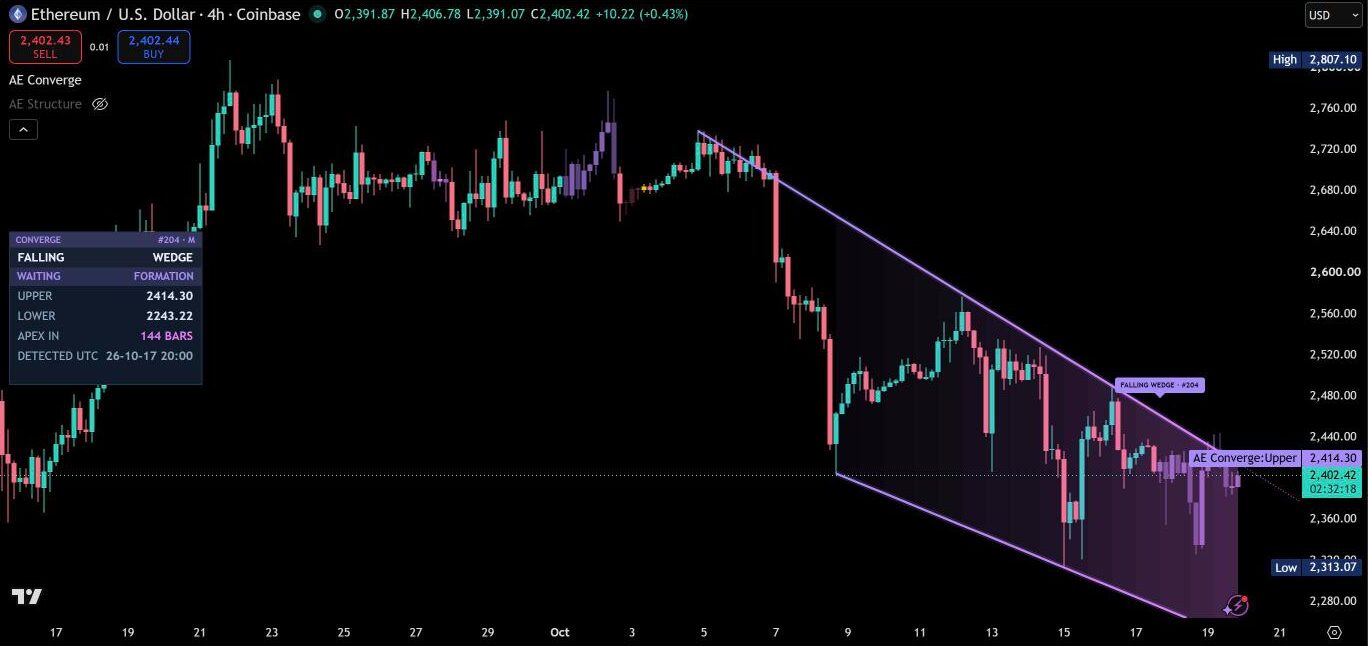
Repainting
Swings are confirmed before they are used, the geometry is fixed when a formation is drawn, and every level is fixed at the breakout close. Outcomes are evaluated from the next candle onward, and candle colors use only what was known on each candle. Nothing on the chart changes after the fact.
Alerts
Alerts for a new formation, breakout up and down, failed breakout, retest, 50% projection, measured move, pattern failure and unclear order. With “Any alert() function call”, Converge sends one message per candle with every event of that candle – as readable text or as JSON for webhooks, with symbol, timeframe, pattern, swing scale, direction, structure score and all levels.
Settings guide
The menu has 5 numbered sections. You don’t need to change anything to start – breakout and projection run on the tested values, and the defaults are the setup the tests ran with. Fill, apex extension, candle colors, projection zone and panel can each be switched off, so the chart can be as full or as quiet as you like.
Quick setups
- Quiet chart: 03 · Chart → Formation fill Off, Candle colors Off, History Focus only.
- Only the cleanest formations: 01 · Detection → Structure profile Strict.
- More formations: 01 · Detection → Sensitivity 8 to 10.
- Phone: 04 · Panel → Layout Mobile.
- Review an earlier formation: 04 · Panel → Focus Formation number, then enter one of the numbers listed in the panel.
- Webhooks: 05 · Alerts → Message format JSON, then create the alert with “Any alert() function call”.
Section by section
Open a section for its settings and defaults.
01 · Detection
How selective detection is. Sensitivity from 1 to 10 (default 7 – higher values use shorter swings, a wider touch tolerance and a lower minimum structure score) and structure profile Flexible, Balanced or Strict (at least 2, 3 or 4 confirmed swings per boundary, from loose to tight geometry).
02 · Patterns
Each of the five formations on or off: ascending, descending and symmetrical triangle, rising and falling wedge.
03 · Chart
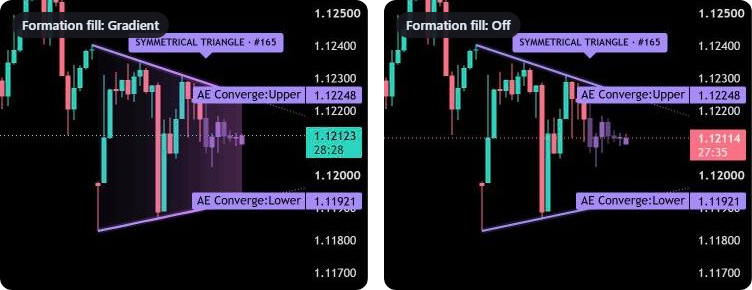
Everything you see on the chart: label style Compact or Detailed (Detailed adds full captions, the base line and the confirmed swing points), history Subdued, Full or Focus only, projection zone, formation fill Gradient, Flat or Off, apex extension, candle colors Off, Formations or Formations + dim rest, retest marks, price tags for the focus formation, one text size for the panel and the price tags, and the three colors in one row: formation, upward and downward.
04 · Panel
Panel on or off, layout Desktop or Mobile, six positions (default middle left) and the focus: Automatic follows the latest active formation, Formation number shows any retained formation.
05 · Alerts
Message format Text or JSON and which events send a message: new formation, confirmed breakout, failed breakout, retest, 50% projection / measured move and pattern failure. Confirmed breakout, failed breakout and pattern failure are on by default.
Fixed, tested values
Breakout and projection run on the values the tests used: breakout buffer 0.15 ATR beyond the boundary, one close outside the boundary, minimum breakout candle body 0.15 ATR, up to 80 candles of waiting for the breakout, measured move 1.0 × the formation height, pattern failure buffer 0.2 ATR, failed breakout window 5 candles, retest tolerance 0.2 ATR and 200 candles of tracking after the breakout. Converge scans all three swing scales, follows up to 2 active formations, lets a formation run for up to 350 candles and keeps 12 formations in its history.
Markets and timeframes
Converge works on forex, metals, indices, futures, crypto and stocks, on every timeframe. The default settings were tested on 15 minutes, 1 hour and 4 hours across all of these markets.
Tips for the best results
- Watch the live view: the closer the apex, the more compressed the formation – the boundaries on the price scale show where a breakout would start.
- Treat the 50% projection as the first checkpoint: in the tests, about two thirds of the breakouts that reached it went on to the measured move.
- Give the first candles after a breakout extra attention – that is where failed breakouts show up, and Converge marks them right away.
- Use “Strict” when you only want the cleanest formations, “Flexible” (default) when you want to see more of them.
- Use standard candles or bars, so every formation is built from real prices.
- On a phone, set 04 · Panel → Layout to Mobile – only the focus formation stays on the chart.
Real reviews
What traders say about AE Converge
No reviews yet. Are you using AE Converge? Be the first to share your experience.
Write a review
Only real people: every review is confirmed by email and checked by hand before it appears.
Changelog
What changed in each version.
v1.4
Cleaner settings: five clear sections instead of seven (31 instead of 49 settings). Breakout and projection run on the tested values, the three colors sit in one row and one text size covers the panel and the price tags.
v1.3
The panel takes its tones from the chart background and stands out as a clear card on every dark chart.
v1.2
New look: formations in their own formation color with a soft glow that turns pink toward the apex, the breakout color after the breakout and a colored panel.
v1.1
Formation fill with Gradient, Flat or Off, and a separate setting for the apex extension.
v1.0
First release.
Updates
Get notified about updates
One email when AE Converge gets a new version – what changed and how to get it. Nothing else.