PremiumInvite-only
AE Trendlines
Automatic trendlines from three timeframes – with touch points, chart patterns, trend candles, breaks and retests.
- 30 days free
- No payment details
- Nothing to cancel
Before / after
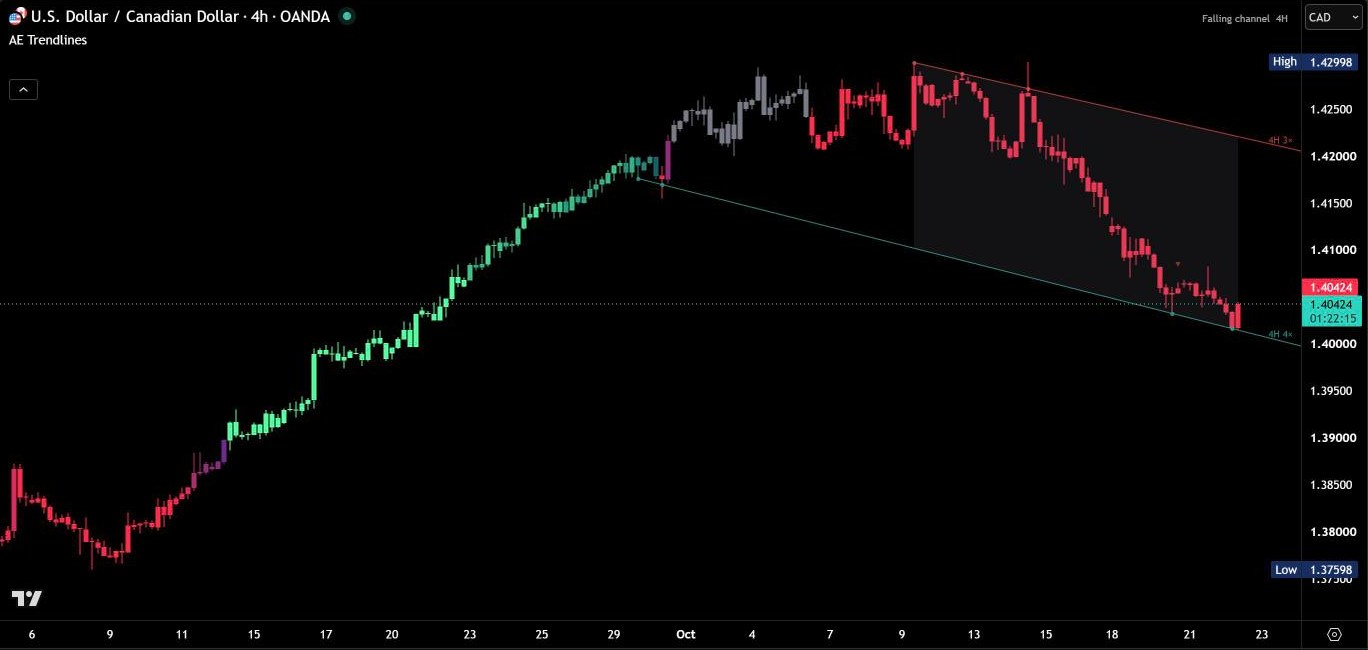
Same chart. Now with AE Trendlines.
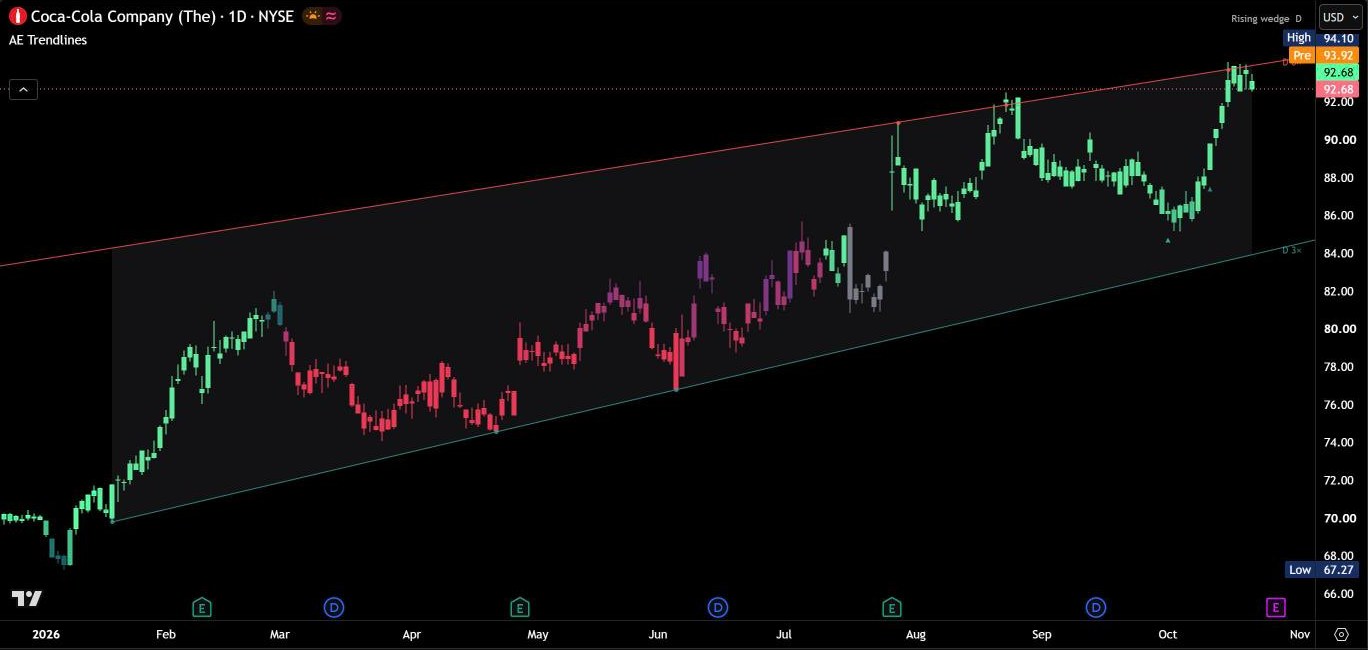
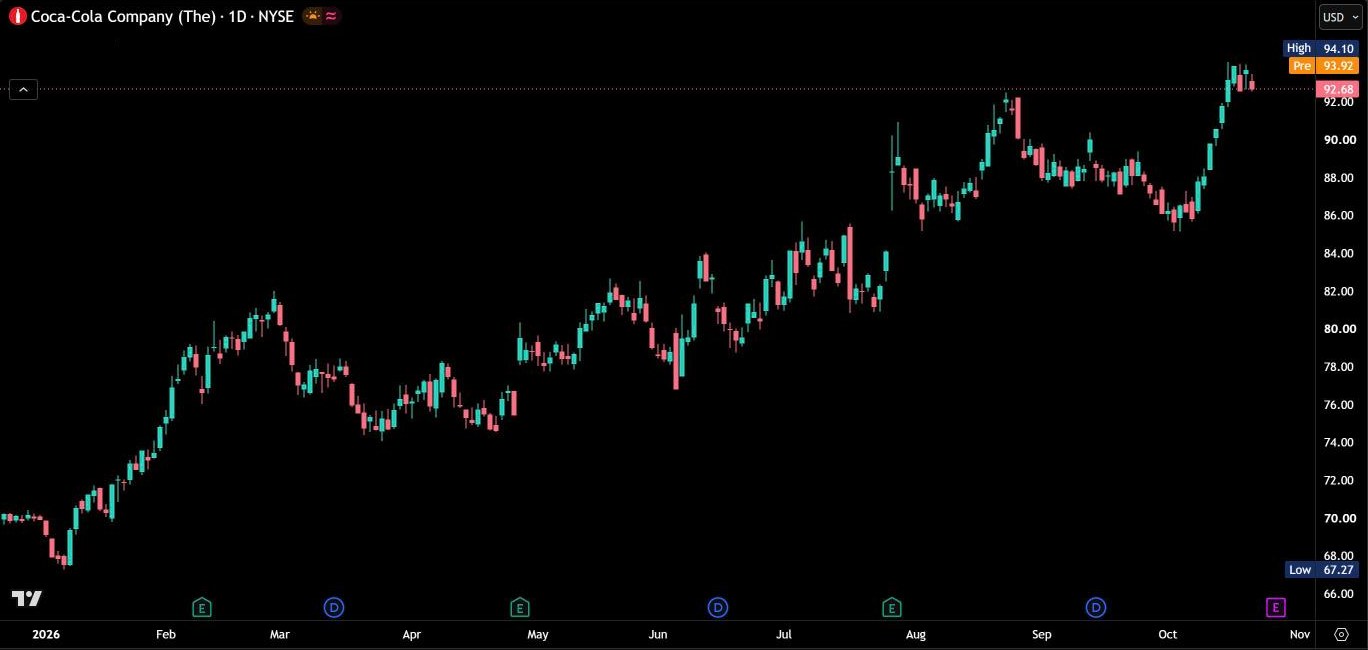
AE Trendlines draws the trendlines that matter right now – automatically, for your chart timeframe and the two next higher timeframes. Every line is built from two confirmed pivots, checked against every candle since its first anchor and scored the way traders rate trendlines: long lines that price keeps coming back to rank highest. On top of the lines it marks every touch, names the pattern the support and resistance line form and colors the candles by the last confirmed break.
Three timeframes on one chart
On a 15-minute chart AE Trendlines works with the 15m, 1H and 4H lines, on a 1-hour chart with the 1H, 4H and daily lines – or you choose the two higher timeframes yourself. By default the chart shows the support and the resistance line closest to price, from whichever timeframe it comes. Switch Lines shown to All and every timeframe gets its own lines.
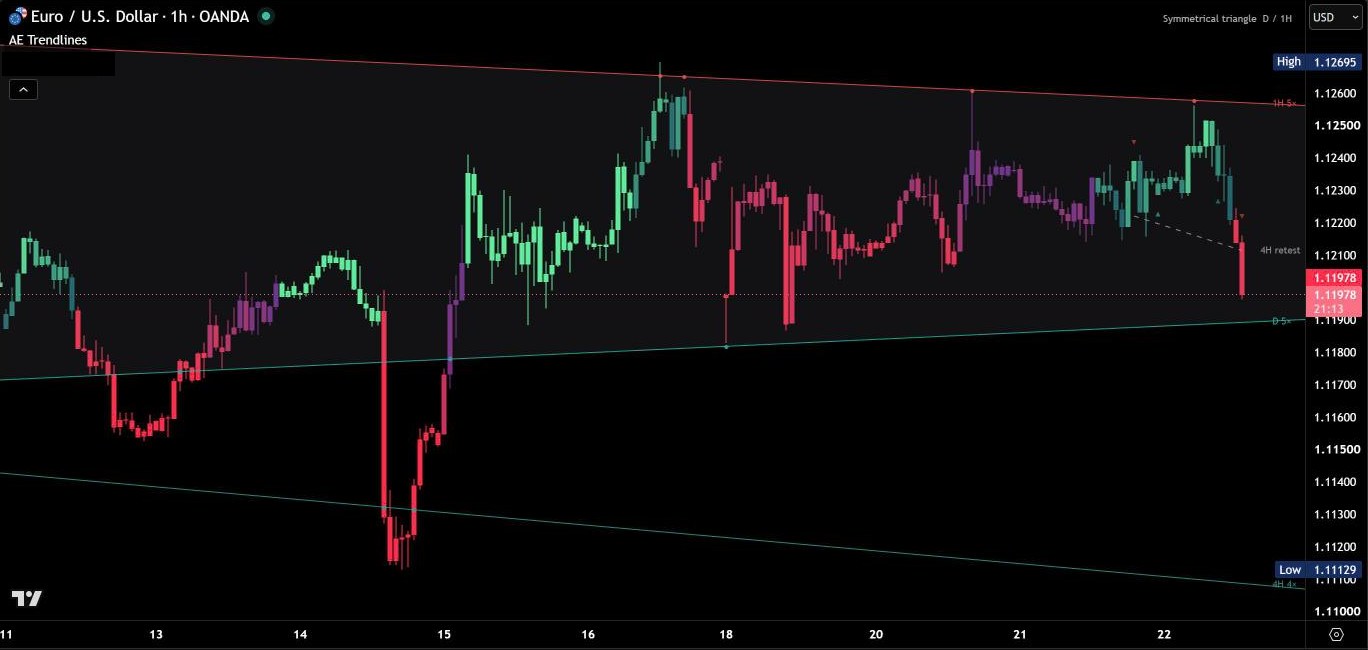
Every line ends in a small label with its timeframe and its number of touches: “4H 5×” is a 4-hour line that price has touched five times. Higher-timeframe lines run through the chart candles that set their highs and lows, so they start exactly where you would anchor them yourself. Lines far away from price stay hidden until price comes closer, so the chart stays calm even with three timeframes.
Only lines that fit cleanly
Pivots are confirmed on closed candles at three depths, from short swings to major turning points. Every pair of pivots on the same side becomes a candidate line, and a candidate is dropped as soon as a candle closes clearly through it. The rest are scored from 0 to 100 – for span, repeated touches, a clear slope, a recent touch and the strength of the anchors. A new line has to stay the best choice for several closed candles before it is drawn, and it is replaced only by a clearly better one. That keeps the lines from jumping back and forth.
Long, often-tested lines are drawn solid, weaker ones more transparent. Hover over the label of a line to see its current price, both anchors, its touches and its quality score.

Touch points
Every touch of a main line gets a small dot: a wick that reaches the line or pokes through it without a closing break. Touches of a higher-timeframe line are counted once per candle of that timeframe, and both anchors count. You see at a glance how often price has respected a line – and the label adds them up for you.

Chart patterns
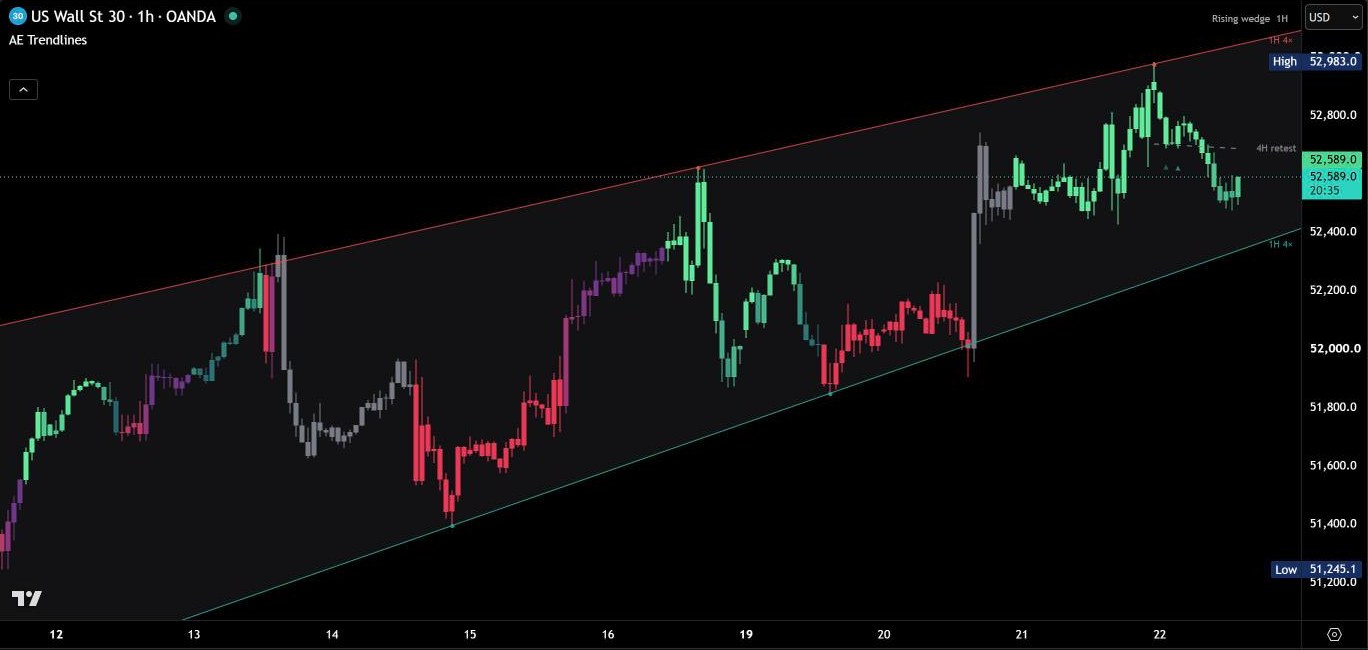
When the support and the resistance line overlap and price has touched both of them, AE Trendlines names the pattern they form: ascending, descending or symmetrical triangle, rising or falling wedge, or a rising, falling or sideways channel. The name appears in the top right corner together with the timeframes of both lines, and the area between the lines is shaded lightly. For triangles and wedges a small cross marks where the two lines meet. Hover over the pattern name for its height and the meeting point.
Trend candles
The candles follow the lines. A confirmed break of the resistance line turns them to the up colors, a confirmed break of the support line to the down colors. A break counts once it holds – a second close beyond the line, or one strong close through it – so a single candle poking through a line does not flip the colors. If price falls back through the broken line, the break has failed and the candles turn neutral grey until the next confirmed break.
Within the trend the shade shows how far price has moved away from the line against it: darker near the line, bright mint or red as the move extends. All colors are adjustable.
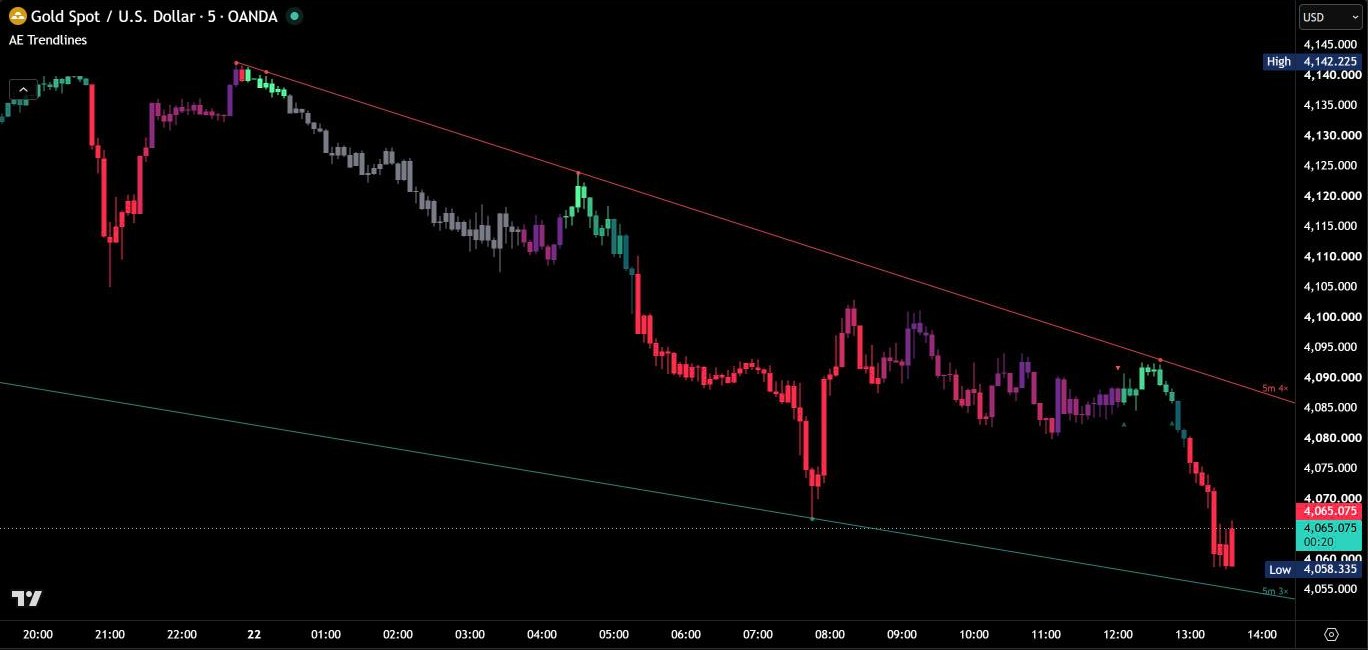
Trend channel
For a rising support or a falling resistance line, AE Trendlines can add a dotted parallel through the farthest swing since the line’s first anchor. Together they form the trend channel: the main line on one side, the outer edge of the move on the other. Switch it on in the settings for the chart timeframe or for all timeframes.
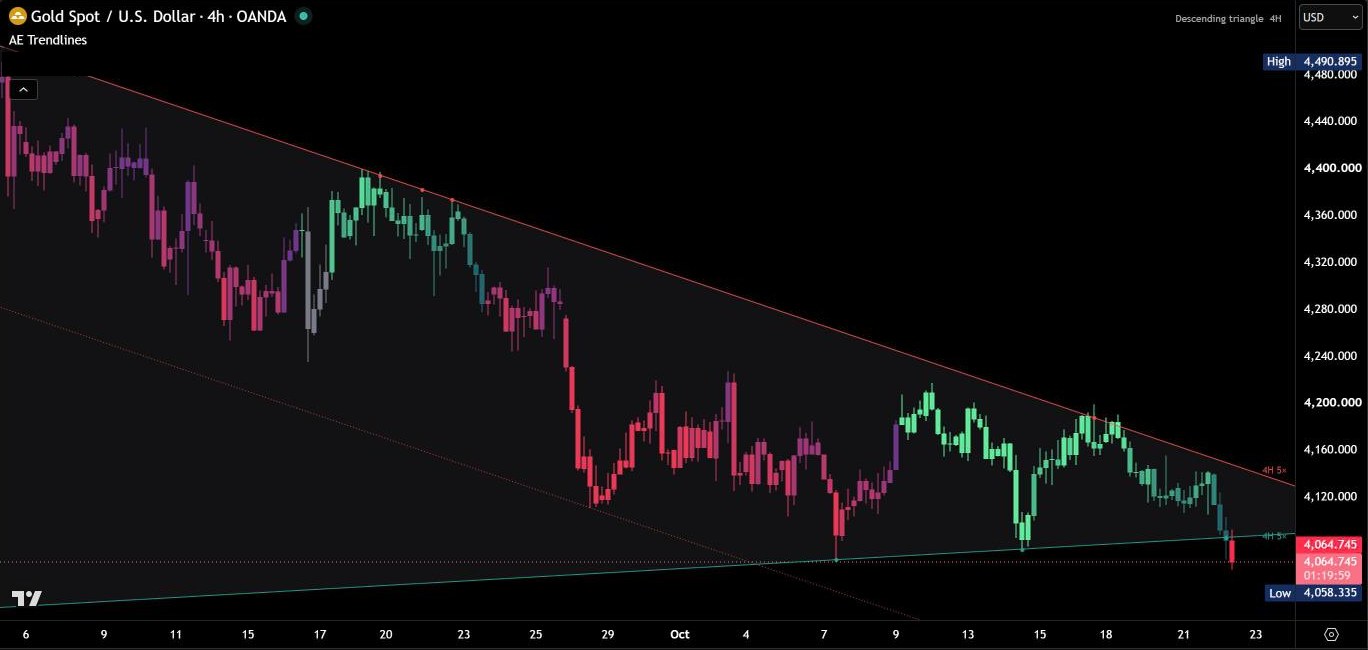
Breaks and retests
A line counts as broken when a candle of its timeframe closes clearly through it. The broken line then stays on the chart as a grey dashed line, labelled with its timeframe and “retest”, as long as price is nearby. The first candle that comes back to it gets a small ▲ or ▼ marker – stronger for higher timeframes. Hover over the marker to see which line was retested and at what price. Shortly after the retest the broken line is removed, so the chart stays clean.
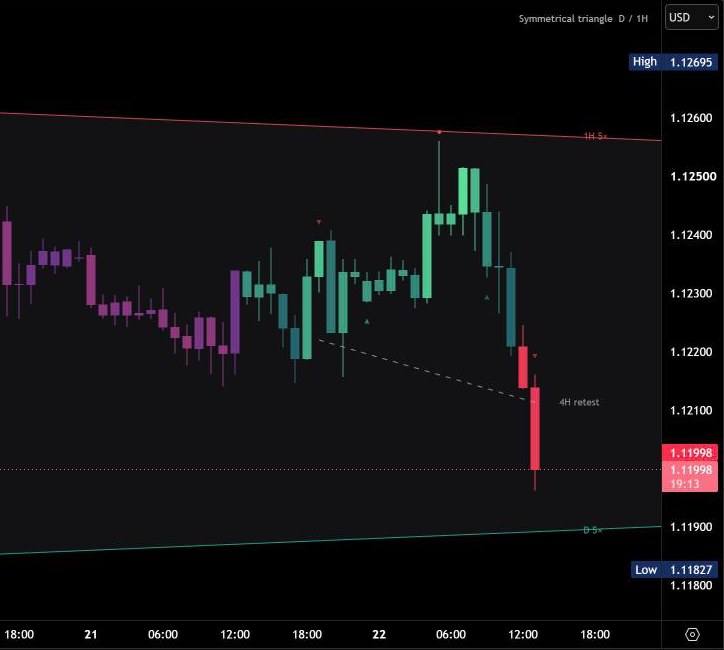
Repainting
Pivots are confirmed on closed candles, and every timeframe is calculated on its own closed candles – higher timeframes included. A line appears only once both of its pivots are confirmed, and no line uses price information that did not exist at the time it appears. Touches, breaks and retests are decided on the closed candle of the line’s timeframe, the trend candles on the closed chart candle, and none of them is changed afterwards. As the market moves on, a line can be replaced by a clearly better one, so the chart always shows the current best lines.
Alerts
Create one alert with the condition “AE Trendlines” and “Any alert() function call”, then choose the events in the settings: new line, touch, break and retest. Every event is checked once, on the closed candle of the line’s timeframe, and the message names the timeframe and the event – for example “4H support line broken”. Classic alert conditions for each of the four events are included as well.
Main settings
The menu is short on purpose: the rules behind the lines are tuned and fixed – you only choose what you see.
| Setting | Default | What it does |
|---|---|---|
| Higher timeframes | Auto | The two next higher timeframes, two of your choice (Manual) or none |
| Lines shown | 1 per side | One support and one resistance line closest to price, the chart-timeframe line plus the closest higher one on each side, or every timeframe |
| Support / Resistance | both on | Which sides are drawn |
| Trend channel | Off | Dotted channel line for the chart timeframe or for all timeframes |
| Chart pattern / Shading | on / on | Names the triangle, wedge or channel the two lines form – and shades the area between them |
| Line labels / Price scale | on / off | Label with timeframe and touches at the end of every line – and the line prices on the price scale |
| Touch points | on | A dot on every touch of a line |
| Retests | on | Broken lines stay dashed until the retest, with ▲ / ▼ on the candle of the first retest |
| Break markers | off | A triangle on the candle that confirmed a break |
| Trend candles | on | Colors the candles by the last confirmed break, with your own up, down and no-trend colors |
| Line style | 1 | Colors for support, resistance and broken lines, one width for every line |
Markets and timeframes
Works on forex, metals, energy, indices, crypto and stocks, on every time-based chart – checked from the 1-minute up to the weekly chart, on standard and Heikin Ashi candles. All rules are measured in candles of the line’s own timeframe and in ATR, so they behave the same on a 1-minute chart as on a weekly chart. In Auto mode the two next higher timeframes are added – on a weekly chart the monthly lines, on a monthly chart the chart lines only.
Tips for the best results
- Read the higher-timeframe lines first, then use the lines of your chart timeframe for the details.
- Watch the touch count on the label: a line that price has touched five times carries more weight than a fresh one.
- Hover over a line’s label before you rely on it: anchors, touches and quality score show how the line was built.
- Set Lines shown to 2 per side to keep the line of your chart timeframe next to the closest higher-timeframe line.
- Switch Lines shown to All when you want the full picture of all three timeframes at once.
- On a phone, switch off Touch points and Retests for an even calmer chart.
Real reviews
What traders say about AE Trendlines
No reviews yet. Are you using AE Trendlines? Be the first to share your experience.
Write a review
Only real people: every review is confirmed by email and checked by hand before it appears.
Changelog
What changed in each version.
v1.1
Faster calculation: the engine skips work that cannot change the result and calculates on the last 3000 chart candles by default (adjustable under Calculated bars). Lines, touches, chart patterns, trend candles and alerts are unchanged.
v1.0
First release: automatic trendlines for the chart timeframe and two higher timeframes, touch points, chart patterns, trend candles, trend channel, broken lines with retest markers and alerts.
Updates
Get notified about updates
One email when AE Trendlines gets a new version – what changed and how to get it. Nothing else.